Build a WhatsApp Bot in Python That Qualifies Leads
Build a WhatsApp Bot in Python That Qualifies Leads
PythonWhatsAppChatbotsClaudeAI Agent
Most WhatsApp bot Python tutorials will get your number banned.
Search for it and look at what comes up. Selenium scripts clicking around WhatsApp Web. Unofficial libraries that pretend to be a phone. Forum threads from 2020.
They work for a weekend demo. Then WhatsApp flags the account, and the number your customers know is gone.
If you're:
building a product that talks to customers on WhatsApp,
adding an AI agent to a sales or support flow,
or automating lead intake for a client,
You need the official API.
In this guide we build a WhatsApp bot in Python that does one valuable job: it qualifies inbound leads in four messages or fewer, scores them, and hands the hot ones to a human. Official API, signed webhooks, interactive buttons and Claude for the language part.
The official WhatsApp Cloud API has a hidden cost: Meta's setup
Here's what nobody tells you about the official WhatsApp API.
The code is the easy part.
Before your bot sends a single message, Meta expects you to go through this list:
A Meta Business portfolio, ideally verified with legal documents and a website that matches your business name.
A Meta developer app with the WhatsApp product added.
A phone number verified by SMS or voice call, not in use on any other WhatsApp account.
A system user with the right permissions and a permanent access token.
A webhook endpoint that passes Meta's verify-token handshake.
A display name that passes Meta's review.
Message templates approved before you can start any conversation yourself.
Each step takes minutes. The approvals take days.
There's no official timeline for display name approval, and rejections rarely explain what to fix. Until your business is verified, you're stuck at a low daily messaging limit.
So you wait. Your prototype sits there.
Your leads don't.
Every WhatsApp message now has a price
The second problem is newer.
Until September 30, 2026, replies inside WhatsApp's 24-hour customer service window were free. Since October 1, Meta bills service messages and utility templates inside that window too, with 1,000 free service messages per number each month (Kapso's pricing guide breaks it down).
That changes how you design a WhatsApp AI chatbot.
The typical LLM bot is chatty. It greets, asks how it can help, asks a follow-up, paraphrases, asks again. Ten messages to learn what a form would capture in three fields.
On top of that, inbound leads cool down fast. A prospect who writes at 11 pm and hears back the next afternoon has already messaged two competitors.
You're paying for every turn.
And losing the lead anyway.
A good WhatsApp AI agent talks less
Most teams think a better bot is one that holds a longer conversation.
That's backwards.
For lead qualification you only need three answers: what they need, what they can spend, and when they want to start. The rest is noise.
So the design rule for this bot is simple:
Let the LLM read, not drive. Claude extracts structured fields from whatever the prospect writes. The flow itself is plain Python, so it never wanders.
Skip what you already know. If the first message says "$8k, live this month", the bot asks nothing else.
Use buttons for closed questions. One tap beats a typed answer, and it gives you clean data.
The result: one message for a well-informed lead, four for the worst case.
Kapso: the WhatsApp Cloud API without the setup marathon
Kapso is developer infrastructure on top of Meta's official WhatsApp Business Platform. It's an official Meta Business Partner, so you're on the real Cloud API, not a workaround.
What matters for this tutorial:
A sandbox number on every plan. You message it from your own phone with no Meta verification, and it uses the same API as production. You can build today.
About 5 minutes to a real number. Meta's embedded signup runs inside Kapso: log in with Facebook, pick the number, verify by SMS. No system users or tokens to manage by hand.
Signed webhooks with retries and logs. HMAC signatures, idempotency keys and a dashboard to inspect failed deliveries.
CLI and MCP. Everything in this guide can be done from the terminal, or by an AI coding agent.
One honest caveat: Kapso doesn't remove Meta's rules. Templates still go through Meta's review, and scaling volume still means verifying your business. What it removes is the plumbing, and it lets you build while the approvals run in the background.
Pros
Official API, no ban risk
Sandbox and CLI make the first message a 10-minute job
No markup on AI usage, published message overages
Cons
WhatsApp only (no SMS or email)
No official Python SDK yet, you call the REST API directly (it's a few lines)
Best for: developers shipping WhatsApp as a core product surface, especially AI agents.
How to build the WhatsApp bot in Python, step by step
The architecture fits in one line: a prospect writes on WhatsApp, Kapso sends a signed webhook to your Flask app, Claude extracts the lead data, your code decides the next question, and Kapso delivers the reply.
You need Python 3.10+, Node.js 20.19+ (for the CLI), a Kapso account and, optionally, an Anthropic API key.
Step 1: Install the Kapso CLI and connect a number
npm install -g @kapso/cli
kapso login
kapso setup
kapso login opens your browser. kapso setup resolves your project and generates a link to connect or provision a WhatsApp number. Start with the sandbox; switch to a dedicated number when you go live.
Then grab the ID you'll use everywhere:
kapso whatsapp numbers list --output json | jq '.[0].id'
Create a project API key in the dashboard under Integrations → API keys.
Step 2: Set up the project
mkdir whatsapp-lead-bot && cd whatsapp-lead-bot
pip install flask requests python-dotenv
Kapso exposes Meta's Cloud API format behind its own host. Same JSON as Meta, authenticated with X-API-Key. We need two message types: plain text and reply buttons.
# kapso_client.py
import os

import requests

BASE_URL = os.getenv("KAPSO_BASE_URL", "https://api.kapso.ai/meta/whatsapp/v24.0")


class KapsoClient:
    def __init__(self, api_key: str, phone_number_id: str, base_url: str = BASE_URL):
        self.url = f"{base_url}/{phone_number_id}/messages"
        self.headers = {"X-API-Key": api_key, "Content-Type": "application/json"}

    def _post(self, payload: dict) -> dict:
        r = requests.post(self.url, json=payload, headers=self.headers, timeout=10)
        r.raise_for_status()
        return r.json()

    def send_text(self, to: str, body: str) -> dict:
        return self._post({
            "messaging_product": "whatsapp",
            "recipient_type": "individual",
            "to": to,
            "type": "text",
            "text": {"preview_url": False, "body": body},
        })

    def send_buttons(self, to: str, body: str, buttons: list[tuple[str, str]]) -> dict:
        # WhatsApp allows max 3 reply buttons, 20 characters per title
        return self._post({
            "messaging_product": "whatsapp",
            "recipient_type": "individual",
            "to": to,
            "type": "interactive",
            "interactive": {
                "type": "button",
                "body": {"text": body},
                "action": {"buttons": [
                    {"type": "reply", "reply": {"id": bid, "title": title[:20]}}
                    for bid, title in buttons[:3]
                ]},
            },
        })
Quick sanity check from the terminal before writing more code:
Kapso signs every delivery with HMAC-SHA256 in the X-Webhook-Signature header, puts the event name in X-Webhook-Event, and sends an X-Idempotency-Key that stays the same across retries. Use all three:
Signature so nobody can fake a lead.
Idempotency key so a retry never sends the prospect the same question twice.
Event header so you only react to whatsapp.message.received.
# app.py
import hashlib, hmac, json, os

from dotenv import load_dotenv
from flask import Flask, abort, request

load_dotenv()   # before importing modules that read env vars
import extractor, qualifier
from kapso_client import KapsoClient

app = Flask(__name__)
SECRET = os.environ["KAPSO_WEBHOOK_SECRET"]
LEADS_FILE = os.getenv("LEADS_FILE", "leads.jsonl")
kapso = KapsoClient(os.environ["KAPSO_API_KEY"], os.environ["PHONE_NUMBER_ID"])

sessions: dict[str, dict] = {}   # use Redis in production
seen_deliveries: set[str] = set()


def valid_signature(raw: bytes, header: str) -> bool:
    expected = hmac.new(SECRET.encode(), raw, hashlib.sha256).hexdigest()
    return hmac.compare_digest(expected, (header or "").removeprefix("sha256="))


@app.post("/webhook")
def webhook():
    raw = request.get_data()
    if not valid_signature(raw, request.headers.get("X-Webhook-Signature")):
        abort(401)

    key = request.headers.get("X-Idempotency-Key")
    if key and key in seen_deliveries:
        return "", 200

    if request.headers.get("X-Webhook-Event") != "whatsapp.message.received":
        return "", 200

    body = json.loads(raw)
    events = body["data"] if body.get("batch") else [body]   # message buffering
    for event in events:
        handle_message(event)
    if key:
        seen_deliveries.add(key)   # only after success, so a failed delivery can be retried
    return "", 200
The payload keeps Meta's message shape plus a kapso block. A text message arrives as message.text.body; a button tap as message.interactive.button_reply. Don't assume the phone number is always present: Meta is rolling out business-scoped user IDs, so read it from conversation.phone_number with a fallback.
Step 5: Extract lead data with Claude
The LLM has one narrow job: turn free text into three fields. Small prompt, small model, strict JSON. If the API is down, the bot falls back to keyword rules instead of going silent.
# extractor.py
import json, os, re

import requests

SYSTEM_PROMPT = """You extract B2B lead data from a WhatsApp message.
Return ONLY a JSON object with these keys (null when not mentioned):
- "need": short summary of what the prospect wants
- "budget": "low" (<1k USD), "mid" (1k-5k) or "high" (>5k)
- "timeline": "now" (this month), "soon" (1-3 months) or "exploring"
No markdown, no extra text."""

VALID = {"budget": {"low", "mid", "high"}, "timeline": {"now", "soon", "exploring"}}
GREETINGS = {"hi", "hello", "hey", "hola", "buenas", "good morning", "good afternoon"}


def extract(text: str) -> dict:
    """Claude first; keyword rules if there's no API key or the API fails."""
    if not os.getenv("ANTHROPIC_API_KEY"):
        return extract_rules(text)
    try:
        return _clean(extract_llm(text))
    except (requests.RequestException, ValueError, KeyError):
        return extract_rules(text)


def extract_llm(text: str) -> dict:
    r = requests.post(
        "https://api.anthropic.com/v1/messages",
        headers={
            "x-api-key": os.environ["ANTHROPIC_API_KEY"],
            "anthropic-version": "2023-06-01",
            "content-type": "application/json",
        },
        json={
            "model": os.getenv("LLM_MODEL", "claude-haiku-5-5"),
            "max_tokens": 200,
            "system": SYSTEM_PROMPT,
            "messages": [{"role": "user", "content": text}],
        },
        timeout=15,
    )
    r.raise_for_status()
    raw = "".join(b.get("text", "") for b in r.json()["content"])
    raw = raw.replace("```json", "").replace("```", "").strip()
    data = json.loads(raw)
    return {k: data.get(k) for k in ("need", "budget", "timeline")}


def _clean(data: dict) -> dict:
    # an off-enum value would count as "answered" and the bot would never ask again
    for field, allowed in VALID.items():
        if data.get(field) not in allowed:
            data[field] = None
    return data


def extract_rules(text: str) -> dict:
    t = text.lower()
    return {"need": _need(text), "budget": _budget(t), "timeline": _timeline(t)}


def _need(text: str) -> str | None:
    words = re.findall(r"\w+", text.lower())
    if len(words) < 4 or " ".join(words) in GREETINGS:
        return None
    return text.strip()[:120]


def _budget(t: str) -> str | None:
    m = (re.search(r"\$\s?(\d+(?:[.,]\d+)?)\s?(k)?\b", t)
         or re.search(r"(\d+(?:[.,]\d+)?)\s?(k)\b", t)
         or re.search(r"(\d+(?:[.,]\d+)?)\s?()(?:usd|dollars|eur|euros)\b", t))
    if not m:
        return None
    amount = float(m.group(1).replace(",", ".")) * (1000 if m.group(2) else 1)
    return "low" if amount < 1000 else "mid" if amount <= 5000 else "high"


def _timeline(t: str) -> str | None:
    if re.search(r"\b(this month|this week|asap|right away|urgent|immediately)\b", t):
        return "now"
    if re.search(r"\b(next month|few months|\d\s?-\s?\d months|this quarter|next quarter)\b", t):
        return "soon"
    if re.search(r"\b(exploring|no rush|just looking|someday|researching)\b", t):
        return "exploring"
    return None
Step 6: Qualify and score the lead
This is where the "talk less" rule lives. The bot only asks for what's missing, and asks closed questions with buttons.
# qualifier.py
BUDGET_BUTTONS = [("budget_low", "Under $1k"), ("budget_mid", "$1k - $5k"), ("budget_high", "Over $5k")]
TIMELINE_BUTTONS = [("timeline_now", "This month"), ("timeline_soon", "1-3 months"), ("timeline_exploring", "Just exploring")]
SCORES = {"budget": {"high": 40, "mid": 25, "low": 5},
          "timeline": {"now": 40, "soon": 25, "exploring": 5}}


def score(lead: dict) -> tuple[int, str]:
    points = SCORES["budget"].get(lead.get("budget"), 0) + SCORES["timeline"].get(lead.get("timeline"), 0)
    points += 20 if lead.get("need") else 0
    return points, "hot" if points >= 80 else "warm" if points >= 40 else "cold"


def next_action(lead: dict) -> dict:
    if not lead.get("need"):
        return {"type": "text", "body": f"Hi {lead.get('name') or 'there'}! What are you looking to build or solve?"}
    if not lead.get("budget"):
        return {"type": "buttons", "body": "What budget range do you have in mind?", "buttons": BUDGET_BUTTONS}
    if not lead.get("timeline"):
        return {"type": "buttons", "body": "When would you like to get started?", "buttons": TIMELINE_BUTTONS}

    points, tier = score(lead)
    lead.update(score=points, tier=tier, qualified=True)
    return {"type": "done", "tier": tier, "body": {
        "hot": "Perfect, you're a great fit. A specialist will message you here in a few minutes.",
        "warm": "Thanks! A teammate will follow up this week with relevant case studies.",
        "cold": "Thanks for the context! Here are some free resources to explore at your own pace.",
    }[tier]}
And the handler that ties it together:
# app.py (continued)
def handle_message(event: dict) -> None:
    message, conversation = event["message"], event["conversation"]
    if message.get("kapso", {}).get("direction") != "inbound":
        return

    to = conversation.get("phone_number") or message.get("from")
    lead = sessions.setdefault(conversation["id"], {"name": conversation.get("contact_name"), "phone": to})
    if lead.get("qualified"):
        return  # a human owns the conversation now

    if message["type"] == "interactive":
        field, _, value = message["interactive"]["button_reply"]["id"].partition("_")
        lead[field] = value
    elif message["type"] == "text":
        for k, v in extractor.extract(message["text"]["body"]).items():
            lead[k] = lead.get(k) or v

    action = qualifier.next_action(lead)
    if action["type"] == "buttons":
        kapso.send_buttons(to, action["body"], action["buttons"])
    else:
        kapso.send_text(to, action["body"])
    if action["type"] == "done":
        save_lead(lead)


def save_lead(lead: dict) -> None:
    # swap for your CRM, Slack or Google Sheets
    record = {k: v for k, v in lead.items() if k != "qualified"}
    with open(LEADS_FILE, "a", encoding="utf-8") as f:
        f.write(json.dumps(record, ensure_ascii=False) + "\n")


if __name__ == "__main__":
    app.run(port=int(os.getenv("PORT", 8000)))
The bot stops replying once a lead is qualified. That's deliberate: Kapso's inbox has human handoff built in, so your sales team picks up the same thread with the full history.
Step 7: Register the WhatsApp webhook
Run the app and expose it:
python app.py          # listens on :8000
ngrok http 8000        # gives you a public HTTPS URL
Copy the webhook's signing secret into KAPSO_WEBHOOK_SECRET, restart the app, and send "hi" to your sandbox number.
If prospects tend to send several short messages in a row, add --buffer-enabled --buffer-window-seconds 5. Kapso will batch them into one delivery, and the handler above already loops over batches.
Step 8: Test it without a phone
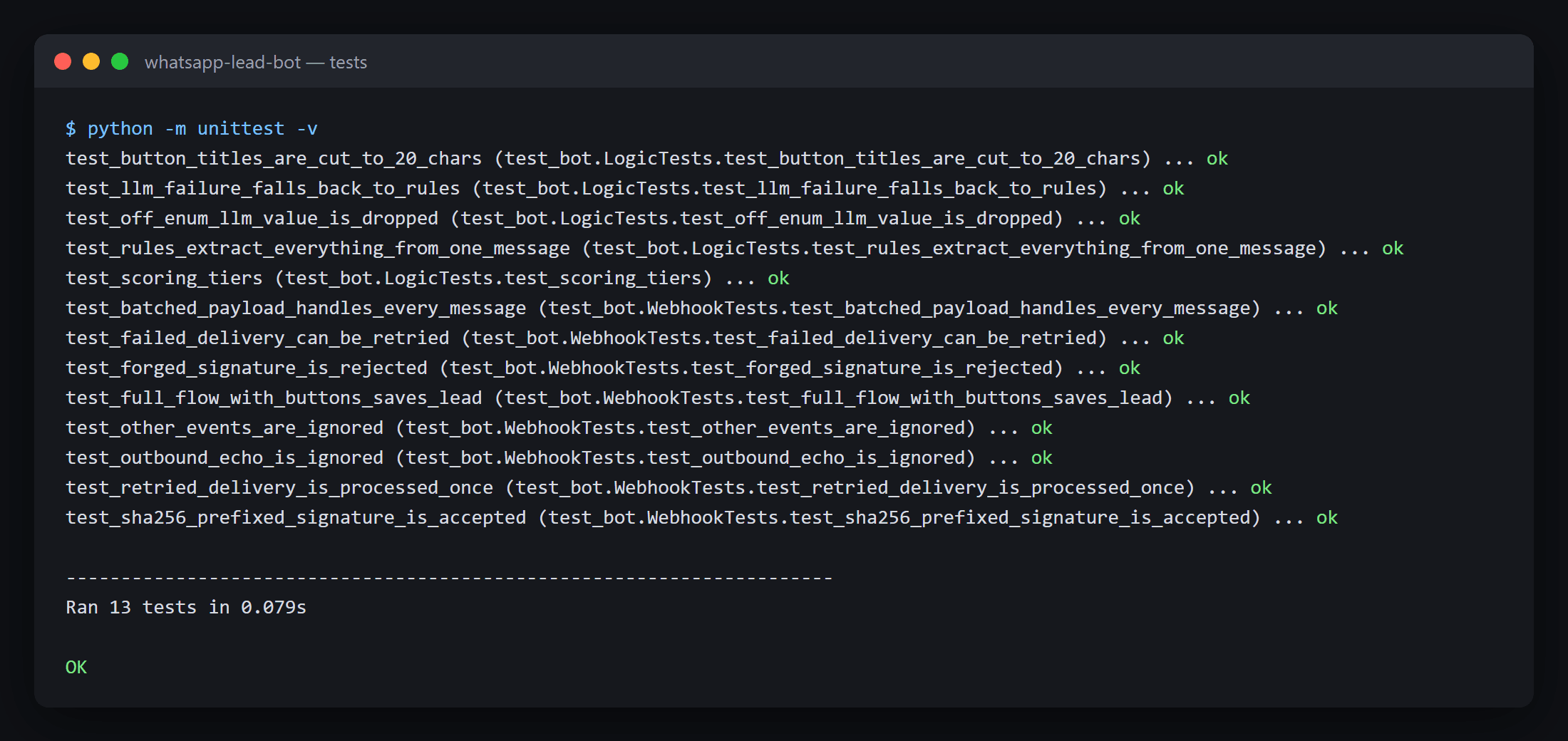
The repo includes a mock of Kapso's messages endpoint and a demo.py that sends signed webhooks with the exact payload shape from Kapso's docs. Plus 13 unit tests: forged signatures, retried and failed deliveries, batched payloads, outbound echoes, the LLM fallback, off-enum LLM values, scoring and the 20-character button limit.
python demo.py
python -m unittest -v
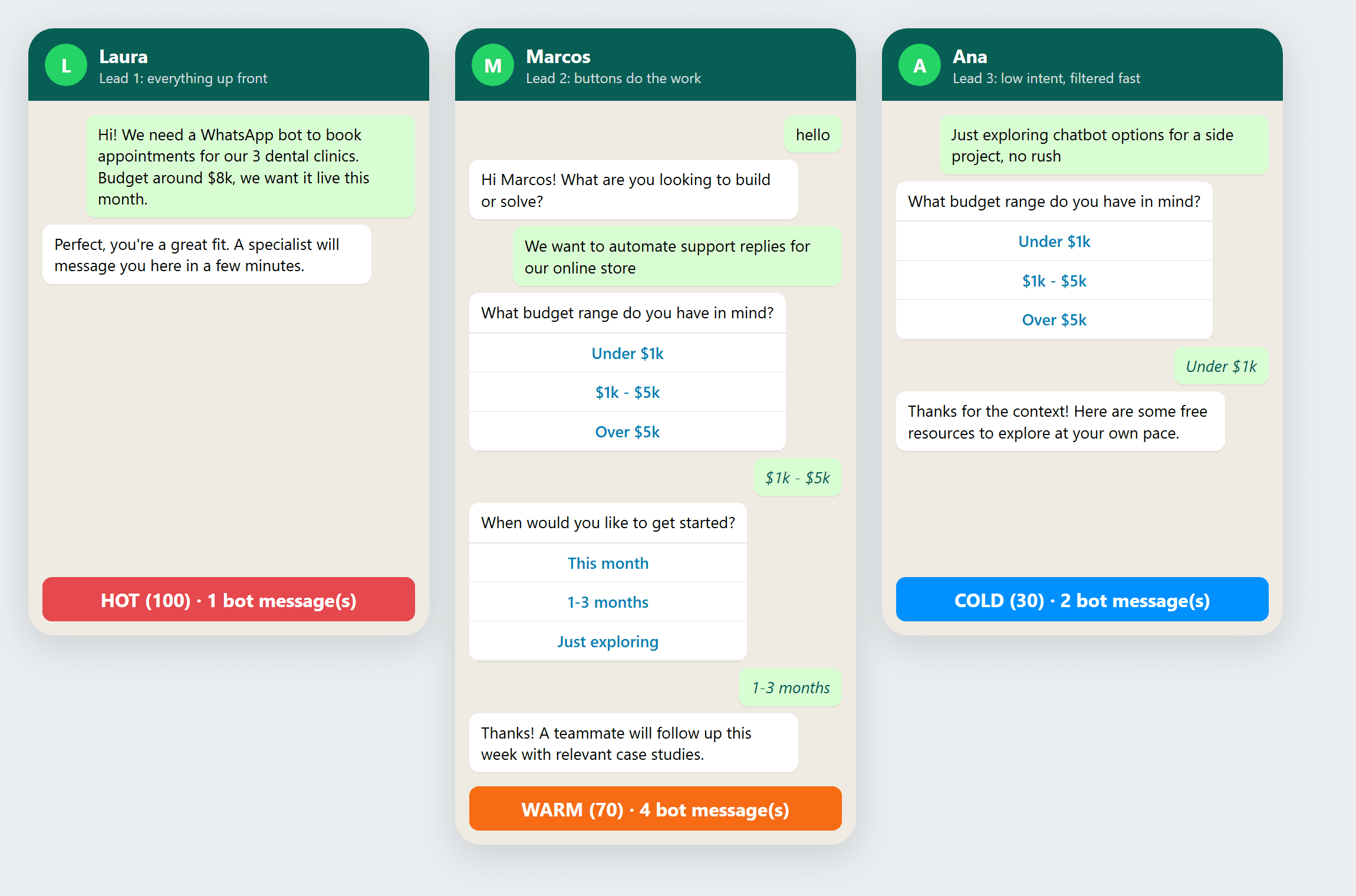
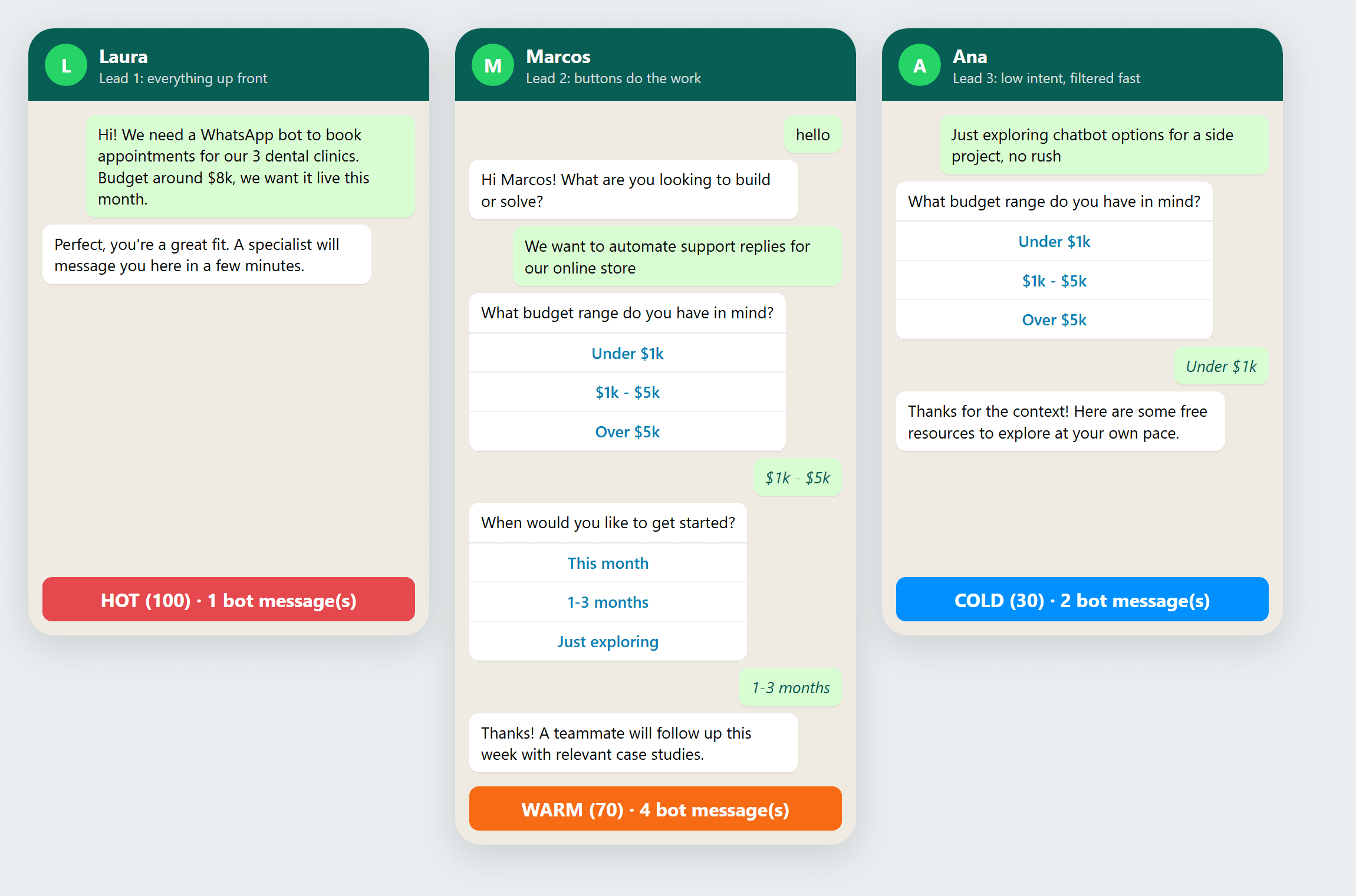
The WhatsApp bot in action: three leads, three outcomes
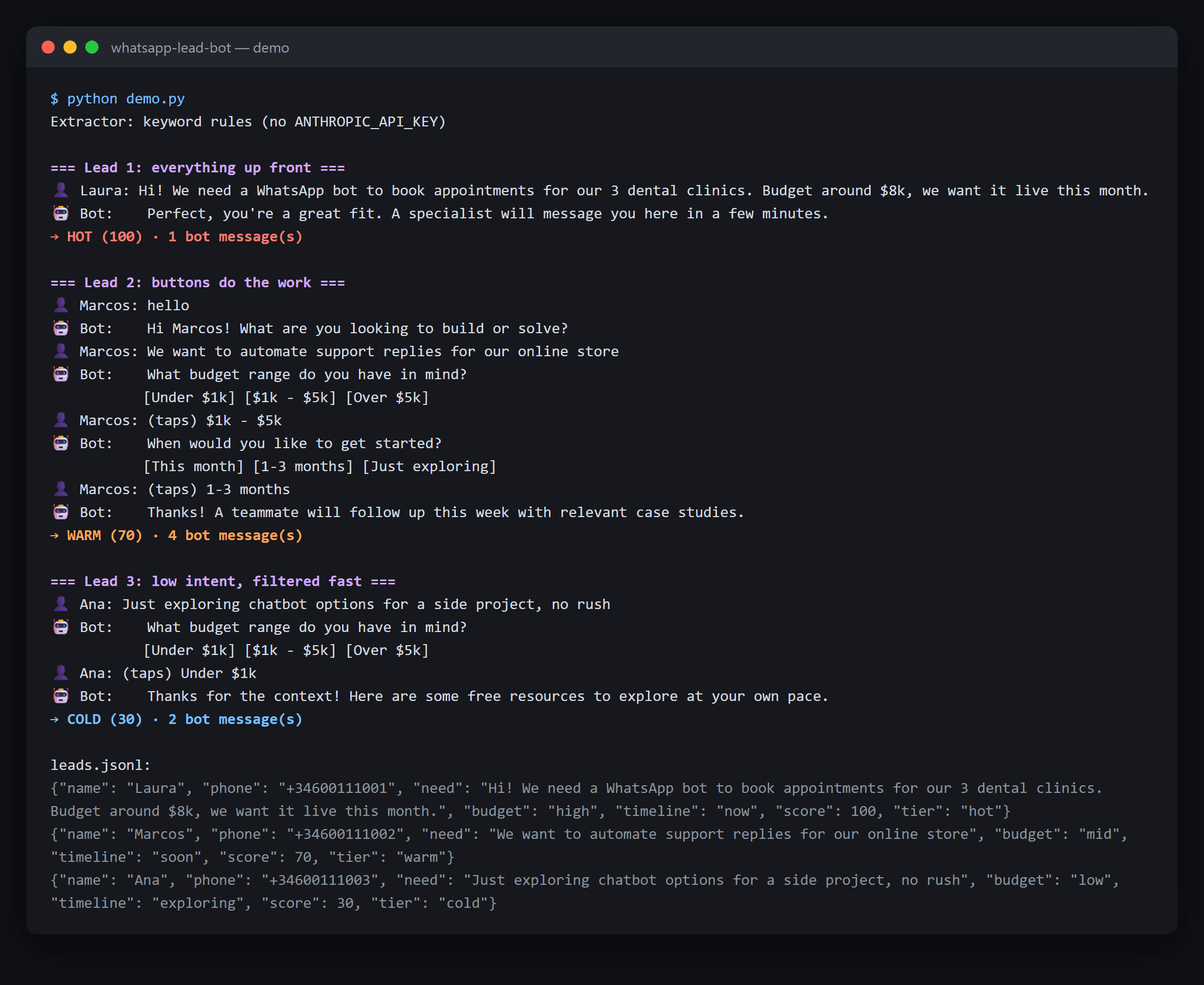
Here's the trimmed output of demo.py.
This run used no Anthropic key, so the keyword fallback did the extraction. With Claude, need comes back as a short summary instead of the raw message.
Lead 1: everything up front (1 bot message)
👤 Laura: Hi! We need a WhatsApp bot to book appointments for our 3 dental
          clinics. Budget around $8k, we want it live this month.
🤖 Bot:   Perfect, you're a great fit. A specialist will message you here
          in a few minutes.
→ HOT (100)
The extractor pulled need, budget and timeline from a single message. No questions asked.
Lead 2: buttons do the work (4 bot messages)
👤 Marcos: hello
🤖 Bot:    Hi Marcos! What are you looking to build or solve?
👤 Marcos: We want to automate support replies for our online store
🤖 Bot:    What budget range do you have in mind?
           [Under $1k] [$1k - $5k] [Over $5k]
👤 Marcos: (taps) $1k - $5k
🤖 Bot:    When would you like to get started?
           [This month] [1-3 months] [Just exploring]
👤 Marcos: (taps) 1-3 months
🤖 Bot:    Thanks! A teammate will follow up this week with relevant case studies.
→ WARM (70)
Lead 3: low intent, filtered fast (2 bot messages)
👤 Ana: Just exploring chatbot options for a side project, no rush
🤖 Bot: What budget range do you have in mind?
        [Under $1k] [$1k - $5k] [Over $5k]
👤 Ana: (taps) Under $1k
🤖 Bot: Thanks for the context! Here are some free resources to explore at your own pace.
→ COLD (30)
The timeline came from "no rush" in her first message, so the bot skipped that question.
Every qualified lead lands in leads.jsonl:
{"name": "Laura", "phone": "+34600111001", "need": "Hi! We need a WhatsApp bot to book appointments for our 3 dental clinics. Budget around $8k, we want it live this month.", "budget": "high", "timeline": "now", "score": 100, "tier": "hot"}
Swap that file for your CRM and your sales team only talks to people worth talking to.
Key takeaways
Use the official WhatsApp Cloud API. Selenium bots are a liability; Kapso gets you on the real API with a sandbox today and a live number in minutes.
Let the LLM read, let Python decide. Extraction with Claude, flow in plain code. Predictable, cheap, testable.
Every message costs money now. Ask only what's missing, use buttons, and hand off to a human the moment a lead is qualified.
FAQs
❓ How do I build a WhatsApp bot in Python? ✅ Use the official WhatsApp Cloud API through a provider like Kapso. Your Python app receives a webhook for each incoming message and replies with a POST to the messages endpoint. Flask plus requests is enough.
❓ Do I need Meta business verification to use the WhatsApp API? ✅ Not to start building. Kapso's sandbox lets you send real messages without Meta verification. For production volume, approved templates and a reviewed display name, Meta still requires a verified business.
❓ Can I build a WhatsApp AI chatbot for free? ✅ You can build and test for free with Kapso's free plan and sandbox number. In production you pay Meta's per-message fees plus your LLM usage, which this design keeps low by limiting each conversation to four bot messages at most.
❓ Is it safe to automate WhatsApp with Selenium or unofficial libraries? ✅ No. Automating WhatsApp Web breaks WhatsApp's terms and risks getting the number banned. Use the official API for anything customer-facing.
❓ How do I verify a WhatsApp webhook from Kapso? ✅ Compute an HMAC-SHA256 of the raw request body with your webhook secret and compare it to the X-Webhook-Signature header using a constant-time comparison. Reject the request with a 401 if they don't match.
Final thoughts
A WhatsApp bot in Python isn't hard to write. Getting it on the official API without losing a week to Meta's setup used to be.
Kapso fixes that part. Your job is to make every message count.
Build your first one on the Kapso sandbox today: it's free, and your next lead is probably already typing.