7 Best LinkedIn MCP Servers in 2026 (Tested in Claude)
Most "best LinkedIn MCP server" lists are written by one of the vendors in them.
Guess who comes first.
This one is different. I publish my own LinkedIn posts through an MCP server every week, and I sorted the options by the job you actually need done, not by who wrote the list.
Quick answer: Zernio is the best LinkedIn MCP server for publishing. It uses LinkedIn's official API, handles profiles and company pages, and is free for 2 accounts. Taplio is the best for creators who want drafts, analytics and comment replies inside Claude. For outreach, Linked API automates your own account (Sales Navigator included) and HeyReach runs campaigns at scale. For LinkedIn data without logging in, use Apify.
Pricing and features checked on 2026-11-26 on each vendor's official pages.
Is there an official LinkedIn MCP server?
Only for job posts.
Claude's connector directory lists LinkedIn Hiring Pro, made by LinkedIn and added in October 2026. It drafts and posts one free job. It doesn't publish posts, read profiles or send messages.
Everything else in this list is a third party. Some go through LinkedIn's official API. Others drive your own logged-in account. That difference matters more than any feature table.
The 4 jobs a LinkedIn MCP server can do
"LinkedIn MCP" means four different things depending on who's searching:
- Publish. Write, schedule and post to your profile or company page, then read the analytics. These servers use LinkedIn's official API. Low risk.
- Read data. Profiles, companies, jobs and posts for research or lead lists. The safest way is a scraper that doesn't touch your account.
- Outreach. Connection requests, messages, InMail, Sales Navigator searches. These run on your own account, because LinkedIn's API doesn't allow it for third parties. Real ban risk if you push volume.
- Ads. Campaigns, audiences and reporting through the LinkedIn Ads API.
Pick the job first. Then pick the server.
If you want one MCP server for LinkedIn plus Instagram, TikTok and YouTube, I compared those in 7 Best Social Media MCP Servers for Claude and ChatGPT.
LinkedIn MCP servers compared
| # | MCP server | Job | How it connects to LinkedIn | Account risk | Cheapest plan with MCP | Free option |
|---|---|---|---|---|---|---|
| 1 | Zernio | Publish + analytics | Official API, OAuth | Low | $6 per account after 2 free | 2 accounts free |
| 2 | Taplio | Creator workflow | OAuth, in Claude's directory | Low | Starter $39/mo | 50 free MCP calls |
| 3 | Upload-Post | Publish, open source | Official API (own approved app) | Low | $16/mo yearly | 2 profiles, 10 uploads/mo |
| 4 | Linked API | Full account automation | Your account in a cloud browser | Medium | €49/seat/mo yearly | 7-day trial |
| 5 | HeyReach | Outreach campaigns | Your accounts, campaign limits | Medium | $64/seat/mo | 14-day trial |
| 6 | Apify | Data without login | Public data scrapers | None for your account | $4 per 1,000 profiles | $5/mo free usage |
| 7 | Salesforge | LinkedIn + email outreach | Your account + API key | Medium | $96/mo | 14-day trial |
LinkedIn MCP pricing compared
The feature table hides the real difference: what you pay for. Zernio bills per connected account, Linked API and HeyReach per seat (one LinkedIn account each), Apify per result, and Taplio, Upload-Post and Salesforge per plan.
| MCP server | Free option | Cheapest plan with MCP (monthly) | Billed yearly | You pay per | Cost for 1 LinkedIn account |
|---|---|---|---|---|---|
| Zernio | 2 accounts, every feature | $6/account (3 to 10 accounts), $3 from 11 | Usage-based, no yearly plan | Connected account | $0 |
| Taplio | 50 MCP calls + 7-day trial | Starter $39 (Growth $69, Pro $199) | 25% off | Plan | $39/mo |
| Upload-Post | 2 profiles, 10 uploads/mo | Basic $24 (5 profiles) | $16/mo | Plan (profiles) | $0 (up to 10 uploads) |
| Linked API | 7-day trial | Core €69/seat (Plus €99 with Sales Navigator) | €49 / €74 per seat | Seat | €49 to €69/mo |
| HeyReach | 14-day trial | Growth $64/seat | $45/seat during Black Friday (until Nov 30) | Seat (sender) | $45 to $64/mo |
| Apify | $5 of usage every month | Pay per result: $4 per 1,000 profiles | Starter $19/mo for more usage | Result | No account needed |
| Salesforge | 14-day trial | Growth $96 (MCP is Growth-only) | $58.40/mo with the BFCM26 Black Friday code | Plan | $96/mo |
Prices from each vendor's pricing page on 2026-11-26. Black Friday prices end on November 30.
How I tested
I ran Zernio's MCP server against my own LinkedIn account from Claude Code, read-only, with one prompt per step:
- "Which LinkedIn accounts are connected?"
- "Show me the analytics of my last LinkedIn posts."
- "When is the best time for me to post on LinkedIn?"
- "Check if this 3,100-character post is valid for LinkedIn."
For the other six I went through each server's setup docs, tool list and pricing page on the same day. Where a claim comes from the vendor and not from my run, I say so.
1. Zernio: best LinkedIn MCP server for publishing
Zernio is a social media API with a hosted MCP server at mcp.zernio.com/mcp. You connect with OAuth or an API key. It publishes through LinkedIn's official API to your personal profile and to company pages you manage.
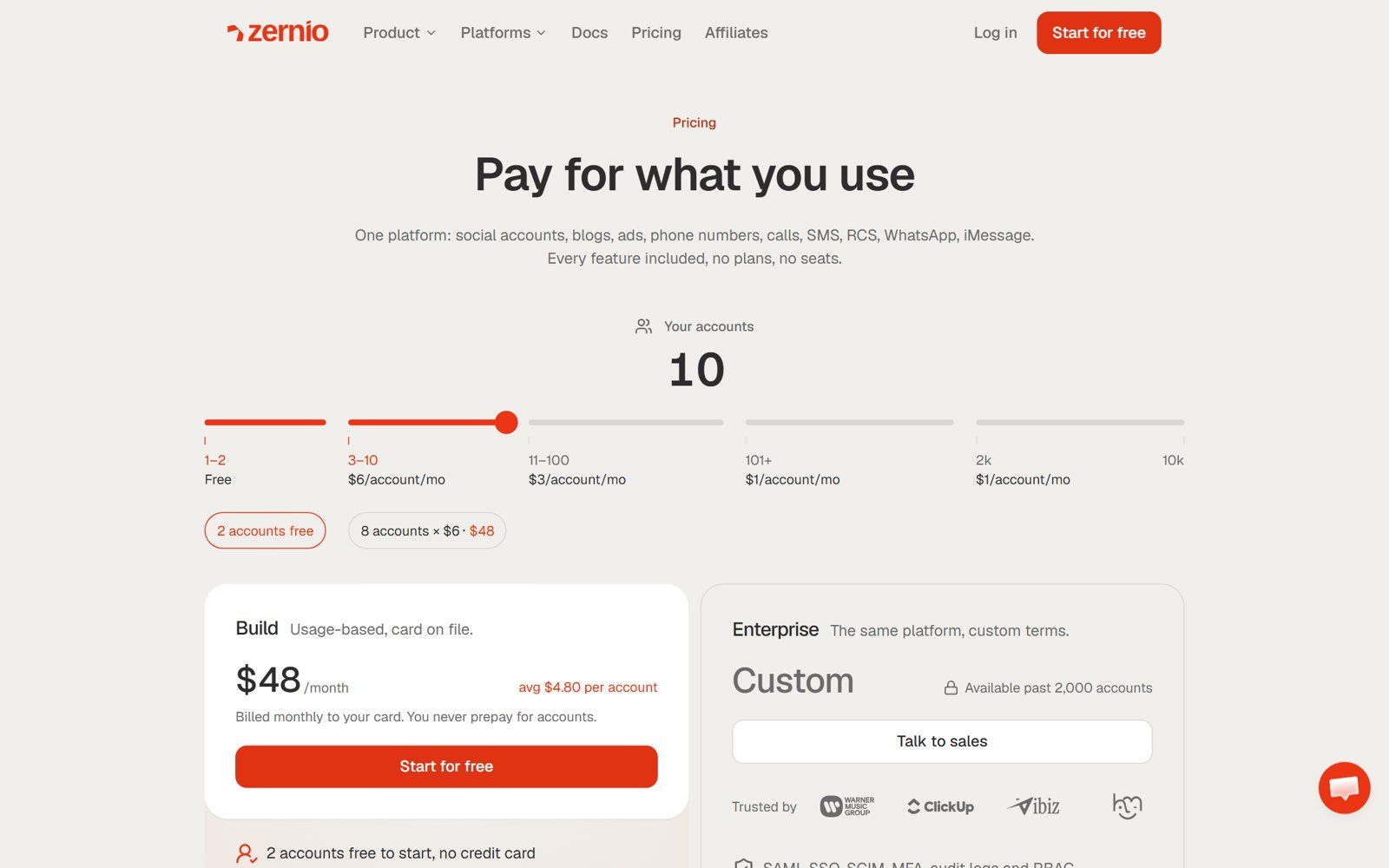 Zernio's pricing: the first 2 accounts are free, then you pay per connected account.
It's also what I use. My LinkedIn posts go out through Zernio.
What happened in my test:
- The server exposed 56 tools in Claude Code: posts, scheduling, analytics, inbox, media upload and validation.
accounts_listfound my LinkedIn profile in 716 ms.analytics_get_analyticsreturned my 36 published posts with impressions and reach per post. On a personal profile that's what you get; likes, comments and clicks came back as 0 even where the post had them. Company pages get full analytics, per Zernio's docs.analytics_get_best_time_to_postreturned my best slots (Monday and Tuesday at 08:00 led), but with 1 post per slot. Useful later, not yet.validate_postcaught a 3,147-character draft: "exceeds the 3000 character limit". That's the check you want before an agent posts at 7 a.m.
On LinkedIn it supports up to 20 images, one video, one PDF or slide document (carousels), a first comment and scheduling. Comment replies work on company pages. DMs don't, because LinkedIn blocks third-party DM access.
Pros
- Official API, so no risk to your account
- Free for 2 accounts with every feature
- Validates posts before publishing
Cons
- Limited analytics on personal profiles
- Comments only on company pages, no DMs
Best for: founders and teams who want Claude to write, schedule and publish LinkedIn posts safely.
2. Taplio: best for LinkedIn creators
Taplio is a LinkedIn growth tool, and its MCP server (mcp.taplio.com, OAuth) is listed in Claude's connector directory. It exposes 35 tools.
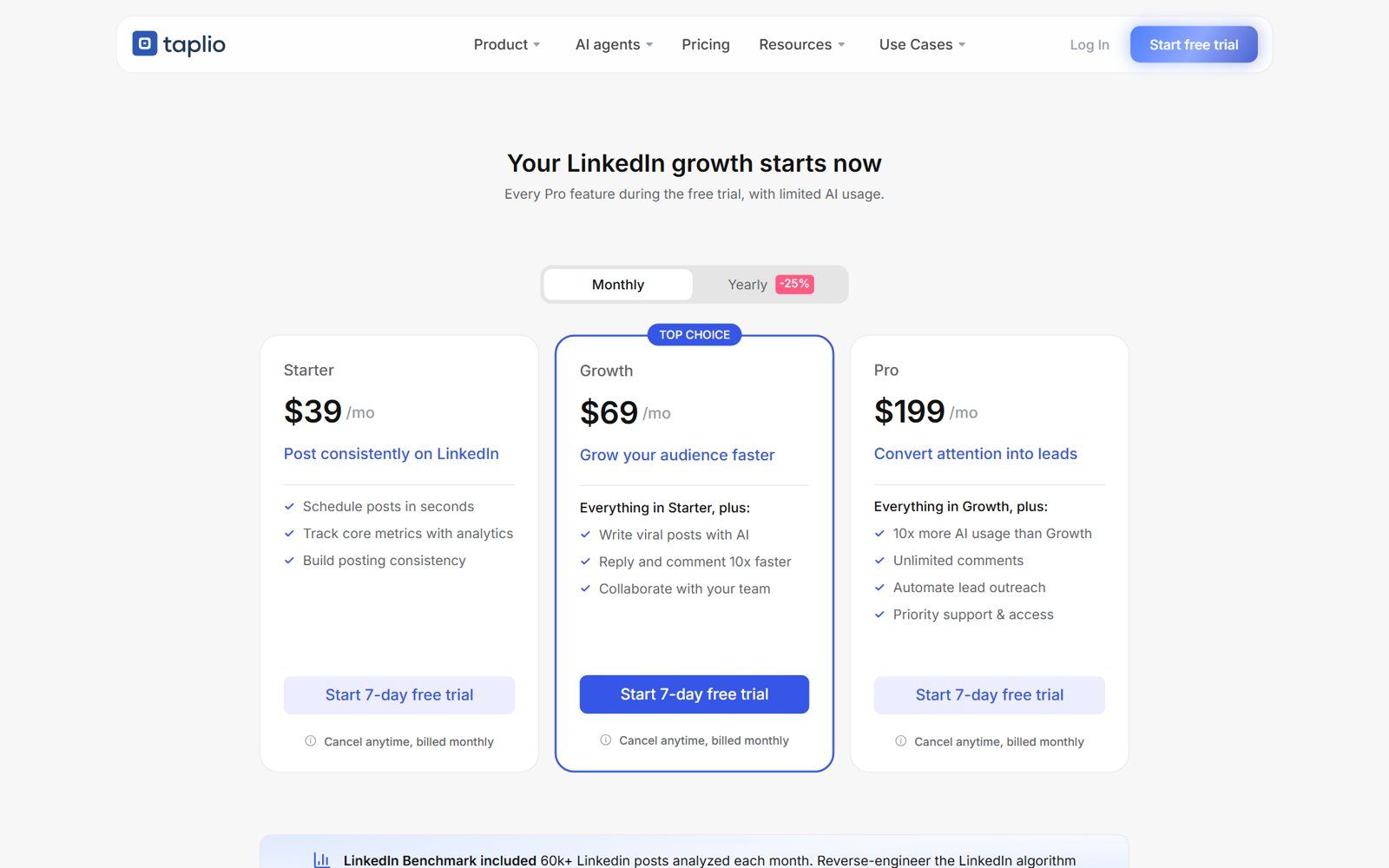 Taplio's plans start at $39 a month, with 25% off yearly.
From Claude you can draft posts in your voice, schedule them, add images, read your analytics and find comments worth answering, with reply drafts. Taplio doesn't send DMs. Company pages, video and PDFs aren't mentioned in its MCP docs.
You get 50 free MCP calls. After that you need a plan, from $39/mo for Starter, with a 7-day trial.
Pros
- One click to connect from Claude's directory
- Built around LinkedIn only: ideas, drafts, analytics, comments
Cons
- Personal profiles only, as far as the docs say
- The free allowance runs out fast if an agent calls it often
Best for: creators and ghostwriters who live on LinkedIn and want their content workflow inside Claude.
3. Upload-Post: best free and open-source option
Upload-Post has a hosted MCP server (mcp.upload-post.com/mcp) and an open-source version under MIT. It posts to LinkedIn through its own approved LinkedIn app.
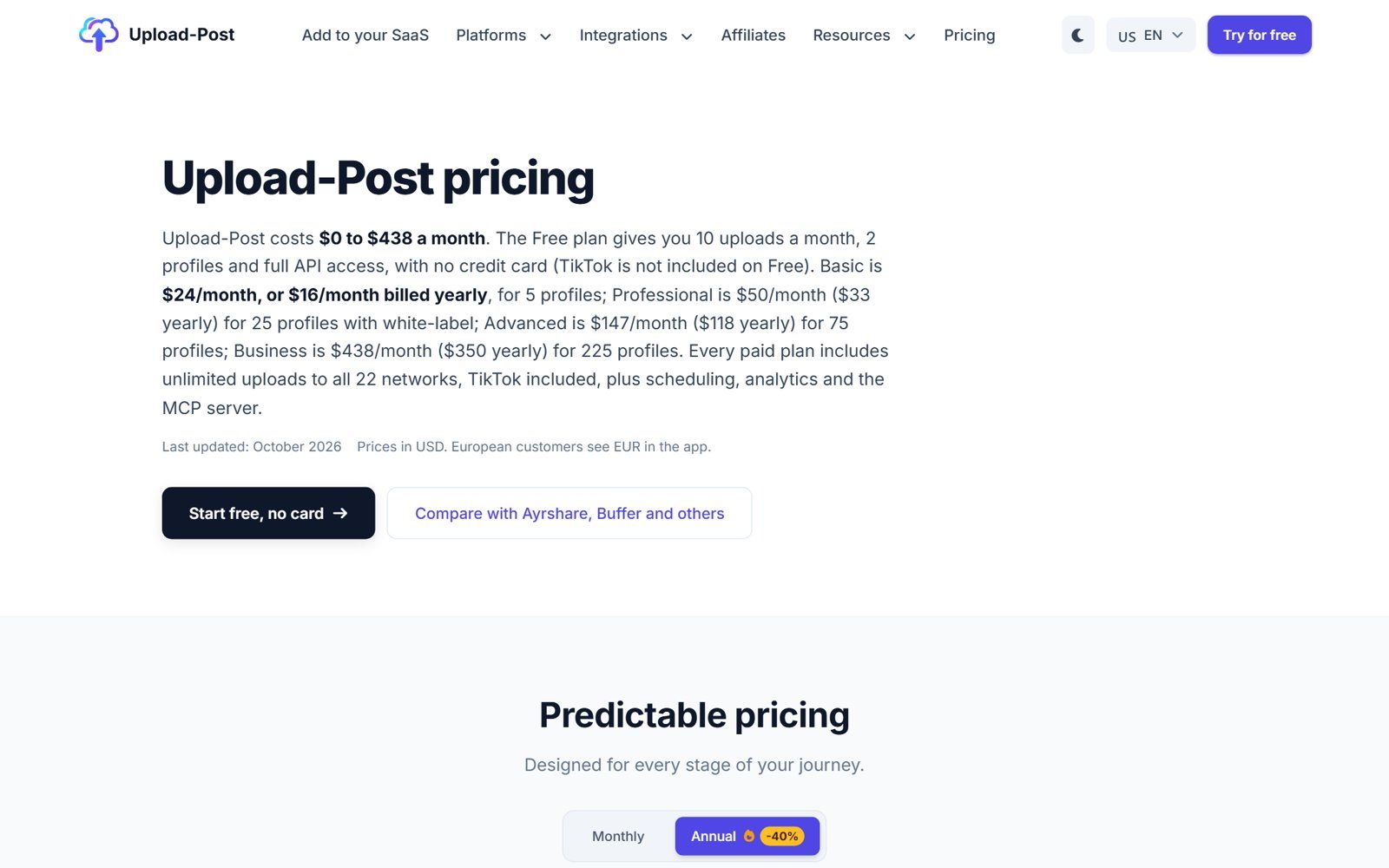 Upload-Post's pricing: a free plan with API and MCP, Basic from $16 a month billed yearly.
It has 9 LinkedIn tools: post photos and video, upload_document for PDF carousels, list the company pages you manage, and schedule, edit or cancel posts. Analytics cover company pages only.
The free plan includes the API and MCP: 2 profiles and 10 uploads a month. Paid plans start at $16/mo billed yearly.
Pros
- Free plan with MCP included
- Open source if you want to self-host
- PDF carousels from Claude
Cons
- 10 uploads a month on free is tight
- No analytics for personal profiles
Best for: developers who want to self-host or test LinkedIn publishing for free.
4. Linked API: best for automating your whole LinkedIn account
Linked API does what LinkedIn's API won't let third parties do. It runs your account in a cloud browser "at a human pace" and gives Claude 99 tools: messages, connection requests, people and company search, posts and comments, 24 Sales Navigator tools and 10 for Recruiter Lite.
You add it as a hosted server (mcp.linkedapi.io) with two tokens, or locally with npx @linkedapi/mcp.
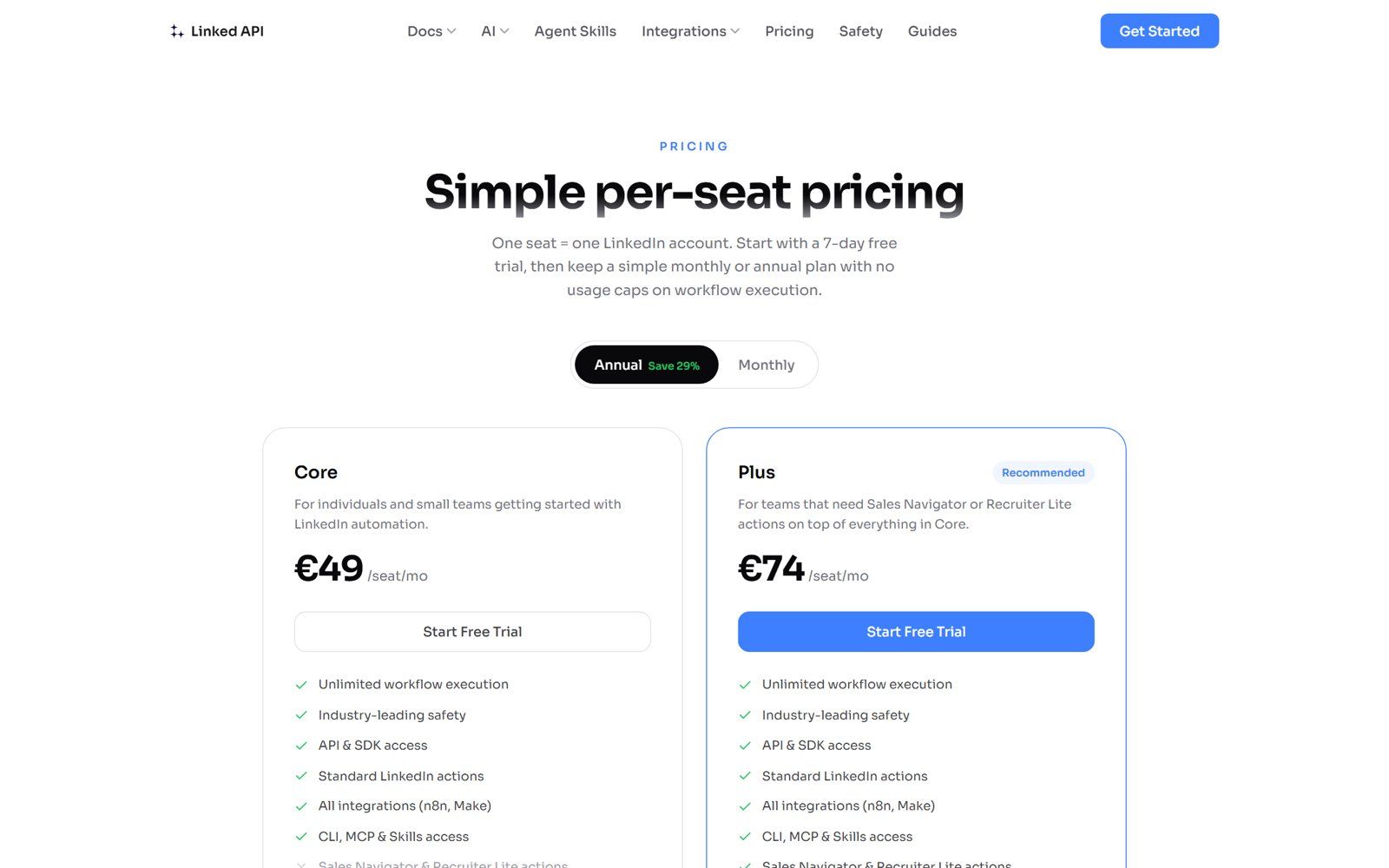 Linked API charges per seat, and one seat is one LinkedIn account.
This is the server behind prompts like "Find 20 Heads of Marketing at fintech startups in Berlin and send them a connection request." It works because it's your account doing it. That's also the risk.
Core costs €69 per seat per month, or €49 billed yearly, with MCP included. Sales Navigator tools need the Plus plan: €99 monthly or €74 yearly. There's a 7-day trial.
Pros
- The widest coverage: Classic, Sales Navigator and Recruiter Lite
- Works from Claude, ChatGPT, Cursor and Codex
Cons
- Runs on your account, so LinkedIn's limits apply to you
- Tokens go in the URL query, no OAuth
Best for: sales teams and recruiters who want Claude to act on LinkedIn, not just read it.
5. HeyReach: best for LinkedIn outreach campaigns at scale
HeyReach is a LinkedIn outreach platform built for agencies running many sender accounts. Its MCP server (mcp.heyreach.io/mcp) connects with OAuth in Claude web, desktop and mobile, and has 65 tools.
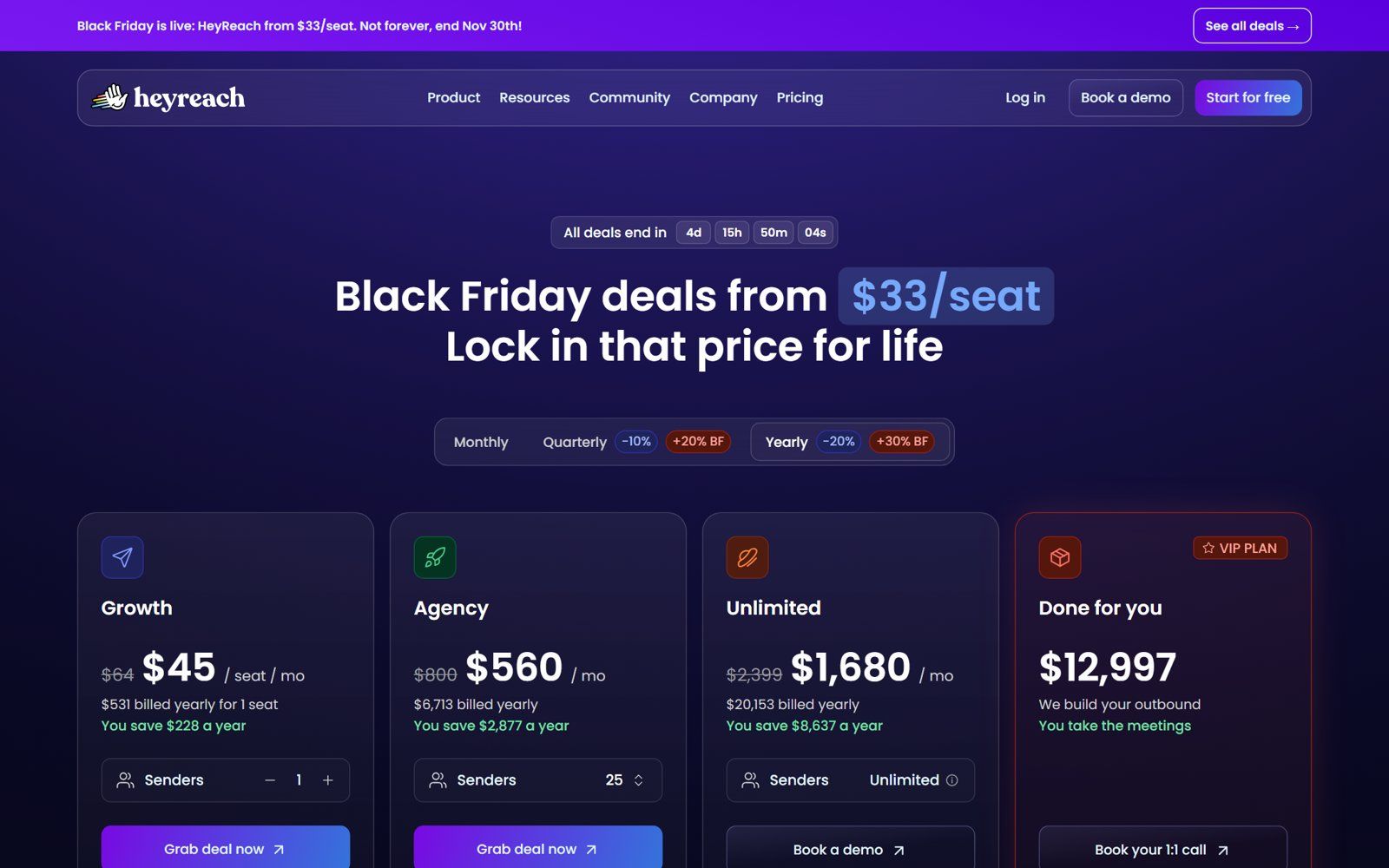 HeyReach's Growth plan, priced per sender seat (Black Friday prices until November 30).
From Claude you can create and pause campaigns, add leads and lists, read the unified inbox and send LinkedIn messages. Everything runs inside HeyReach's sending limits, which is the main safety layer.
MCP and API come with the Growth plan at $64 per seat per month. Until November 30 the Black Friday deal drops it to $45 per seat per month billed yearly. There's a 14-day trial.
Pros
- OAuth connector that works on Claude mobile too
- Campaign limits protect your sender accounts
Cons
- Overkill if you're one person with one account
- The best price needs a yearly commitment
Best for: agencies and SDR teams that run LinkedIn campaigns across many accounts.
6. Apify: best for LinkedIn data without touching your account
Apify is a scraping platform with a hosted MCP server at mcp.apify.com. Claude can pick and run Actors (scrapers) from the Apify Store, including LinkedIn profile, company, job and post scrapers.
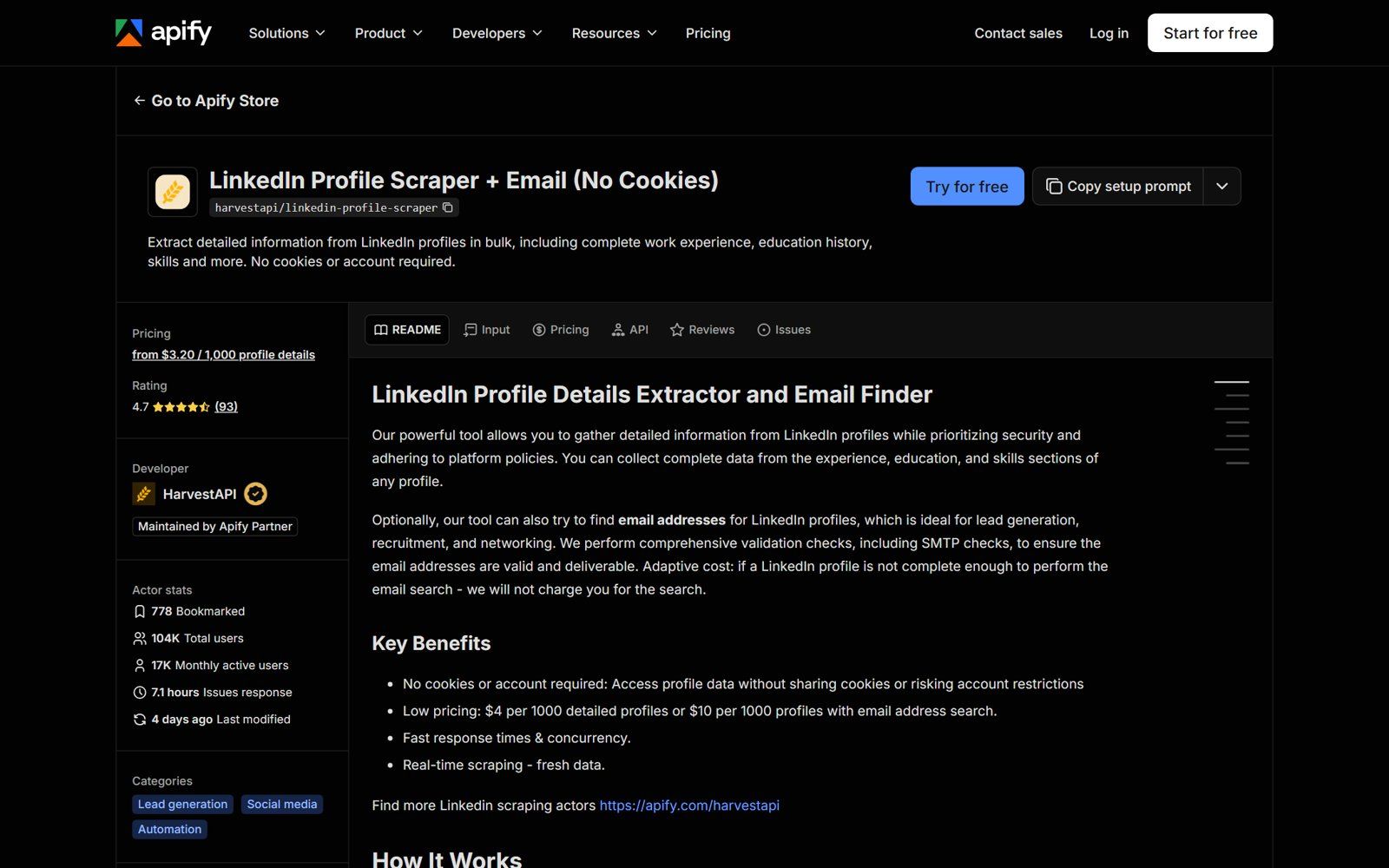 The no-cookies LinkedIn Profile Scraper on Apify: $4 per 1,000 profiles, 4.7 stars, 17K monthly users.
The point is that none of this uses your LinkedIn login. The popular harvestapi/linkedin-profile-scraper needs no cookies and costs $4 per 1,000 profiles ($10 per 1,000 with email).
The free plan includes $5 of usage a month, enough to try it on a real lead list.
Pros
- Zero risk to your own LinkedIn account
- Pay per result, not per seat
- The same MCP server covers thousands of other sites
Cons
- Read-only: no posting, no messages
- Quality varies between Actors, so check ratings and users
Best for: lead research, job market data and enrichment pipelines.
7. Salesforge: best for LinkedIn + email outreach in one agent
Salesforge is a multichannel outreach platform. Its MCP server (mcp.salesforge.ai/mcp) connects with one API key per product and covers LinkedIn connection requests, LinkedIn follow-up messages and email sequences, plus prospect search and enrichment through Leadsforge.
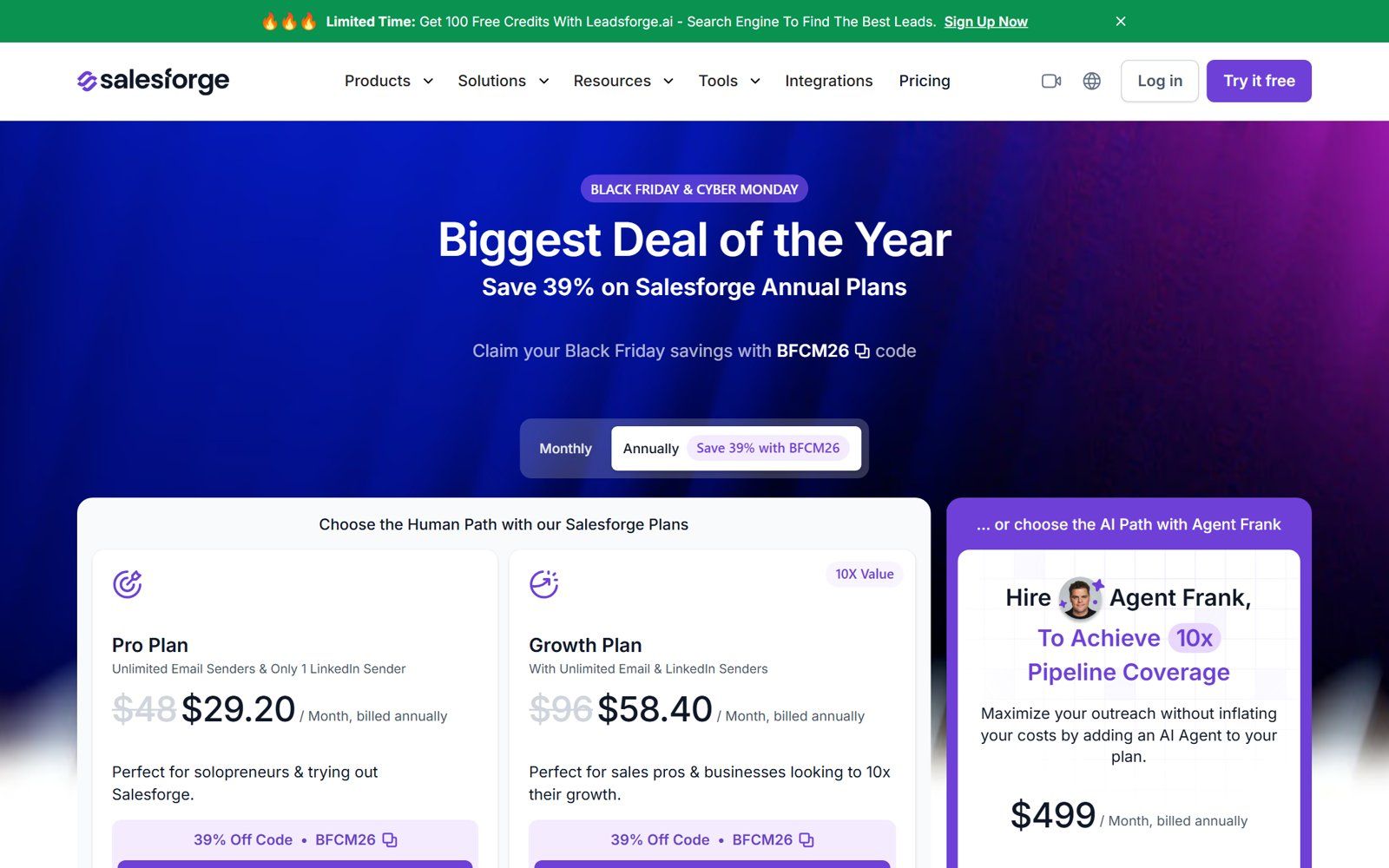 Salesforge's plans. The MCP server needs Growth.
That's the difference with HeyReach: Salesforge is built for sequences where LinkedIn and email work together, with the agent finding the prospects first.
MCP and CLI access come with the Growth plan at $96 a month. With the Black Friday code BFCM26, the yearly plan drops to $58.40 a month. There's a 14-day trial.
Pros
- Prospecting, LinkedIn and email from one server
- Good fit for Claude Code workflows that build lists and launch sequences
Cons
- MCP is locked to the Growth plan
- One API key per product means more setup than OAuth
Best for: founders and SDRs who prospect on LinkedIn and follow up by email.
LinkedIn Ads MCP
LinkedIn Ads is a separate API, and none of the seven above covers it.
Adwarp is a free, open-source (MIT) MCP server and CLI for LinkedIn Ads and Google Ads. It has 29 LinkedIn tools: audience sizing, matched audiences from CSV, Salesforce or HubSpot, campaigns, ads, reporting and the competitor Ad Library. You connect it through your own LinkedIn developer app.
Everything is created as a draft. Nothing goes live until you say so explicitly, which is exactly the rule you want with ad budget.
Also worth a look
- Blotato: AI content studio that publishes to LinkedIn profiles and pages, including video and carousels. No LinkedIn analytics.
- Bright Data: MCP server with LinkedIn profile, company and job scrapers, 5,000 free requests a month.
- Postiv: LinkedIn-only, official API, company pages and comment replies.
- Buffer: MCP included in the free plan (3 channels).
- Zapier: two LinkedIn actions (profile and company update) if you already use Zapier.
How to connect a LinkedIn MCP server to Claude
In the Claude app, open Settings → Connectors. Search the directory (Taplio is there), or click Add custom connector, paste the server URL and sign in.
In Claude Code, one line per server:
claude mcp add --transport http zernio https://mcp.zernio.com/mcp
claude mcp add --transport http apify https://mcp.apify.com
claude mcp add --transport http heyreach https://mcp.heyreach.io/mcp
Then try: "Show me the analytics of my last 5 LinkedIn posts and draft a new one on the topic that worked best."
Is a LinkedIn MCP server safe for your account?
It depends on how it reaches LinkedIn.
- Official API (Zernio, Upload-Post, Taplio, Postiv): LinkedIn approved the app. You can't get banned for posting through it.
- Your account, automated (Linked API, HeyReach, Salesforge): these act as you. They add pacing and limits, but none promises LinkedIn won't restrict an account. Keep volumes human.
- Open-source servers that use your browser session: the most popular one on GitHub,
stickerdaniel/linkedin-mcp-server, says it in its own FAQ: LinkedIn's User Agreement prohibits automated access and accounts can be restricted or banned. - Public-data scrapers (Apify, Bright Data): no login, so nothing to ban on your side.
My rule: official API for anything you publish, scrapers for research, and your own account only for outreach you'd be happy to do by hand.
How to choose
- You want Claude to publish your posts: Zernio.
- You're a LinkedIn creator or ghostwriter: Taplio.
- You want free or open source: Upload-Post.
- You want Claude to message and connect for you: Linked API.
- You run outreach for many accounts: HeyReach.
- You need LinkedIn data without risking your account: Apify.
- You prospect on LinkedIn and follow up by email: Salesforge.
- You run LinkedIn Ads: Adwarp.
FAQ
Does LinkedIn have an official MCP server?
Only LinkedIn Hiring Pro, which posts one free job from Claude. There's no official LinkedIn MCP for posts, profiles or messages.
Is there a free LinkedIn MCP server?
Yes. Zernio is free for 2 accounts, Upload-Post has a free plan with MCP, and Apify gives $5 of usage a month. Open-source servers on GitHub are free too, but most log in with your session.
Can Claude post on LinkedIn?
Yes. Connect a publishing server like Zernio, Upload-Post or Taplio and Claude can draft, schedule and publish to your profile, and with Zernio or Upload-Post to company pages too.
Is there a LinkedIn MCP for Sales Navigator or Recruiter?
Linked API covers Sales Navigator (24 tools) and Recruiter Lite (10 tools). Both run on your own account.
Does it work with ChatGPT?
Most hosted servers here work in ChatGPT as a custom connector with the same URL: Zernio, Linked API, Apify and HeyReach among them.
Can a LinkedIn MCP server get my account banned?
Not if it uses LinkedIn's official API. Servers that automate your own account or reuse your browser session can, and the ones that say so honestly are the ones to trust.
LinkedIn didn't build the MCP server people are searching for.
So the job is picking the one that does your part of LinkedIn without putting your account on the line.
Disclosure: the Zernio, Upload-Post, Apify and Blotato links are affiliate links.
Are you building a LinkedIn MCP server? This list is updated every quarter with new pricing and new servers. If yours should be here, or something above is out of date, get in touch.