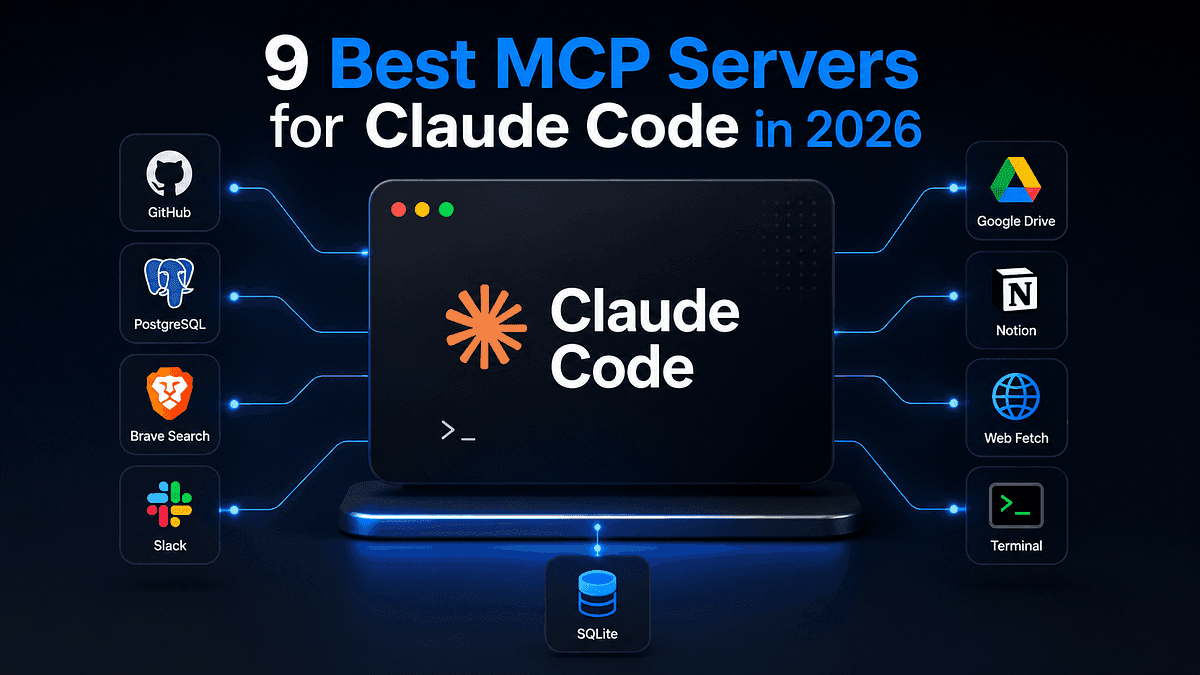
Most “best MCP servers” lists are GitHub star counts with paragraphs attached. This one comes from actually running each server against Claude Code, including the one that turned out to be abandoned.
TL;DR
The best MCP servers for Claude Code in 2026 are Context7 (live docs), Mem0 (persistent memory), Qdrant (semantic search over your own codebase), Browserbase (cloud browser), Arcade.dev (authenticated tool gateway), Composio (multi-app tool router), EODHD (financial market data), DataForSEO (SERP and keyword data), and E2B (sandboxed code execution, with a caveat).
Install three, not ten. Every connected server dumps its tool schemas into your context window, and a bloated tool list makes Claude Code pick worse tools, not better ones.
Start with Context7 if you install exactly one. It fixes hallucinated APIs, which is the single most common failure in agentic coding.
Check the last commit date before you install anything. E2B’s standalone MCP repo is publicly marked as no longer maintained, and it still shows up on ranked lists as a live recommendation.
Remote HTTP servers with OAuth beat local stdio servers for anything hosted. No API keys sitting in plaintext config files.
Search “best MCP servers for Claude Code” and count how many of the top results are directories.
I did. Half the first page is a leaderboard, an awesome-list, or a marketplace with install counts. The editorial results mostly re-rank the same GitHub repos by stars, which tells you what other developers clicked, not what survives contact with a real project.
So I installed them. Every server below went into an actual Claude Code session on an actual repository, and I checked whether the tools registered, whether auth worked, and whether Claude Code chose to call them without being told twice.
If you’re:
running Claude Code daily on real work,
tired of your agent inventing API signatures,
or deciding which servers deserve a slot in your context window,
this is the list.
The problem nobody mentions in the listicles
Every MCP server you connect costs you context.
When Claude Code starts a session, it loads the tool schemas from every configured server. A server with 70 tools does not sit quietly until you need it. It occupies space in the same window your codebase is competing for.
Connect eight servers and you get a measurable drop in tool selection quality. The agent has more options and less room to reason about them. I’ve watched Claude Code reach for a browser automation tool when a plain file read would have worked, purely because the tool list had gotten crowded.
The directories never mention this. They’re incentivized to list more, not less.
There’s a second problem. Nobody checks whether the thing still works.
While testing for this article, I found that E2B’s standalone MCP server repository carries a public notice that the project is no longer actively maintained. It appears on multiple ranked “best of 2026” lists with no such caveat. That’s what happens when a list is assembled from stars instead of installs.
The real filter is not “how many tools”
It’s whether the server earns its context.
A good MCP server for Claude Code does one job the agent genuinely cannot do on its own, exposes a small number of well-described tools, and authenticates without you pasting a key into a config file.
That’s the standard I used. Not tool count, not GitHub stars, not how many marketplaces list it.
How I tested each one
Same process for all nine:
Install using the command published in the vendor’s own docs, not a third-party guide.
Run claude mcp list and confirm the server connects.
Ask Claude Code to perform one task that requires that server, without naming the tool.
Check whether it picked the right tool unprompted.
Note the auth method, transport, and anything that broke.
Step 4 is the one most guides skip. A server that connects but never gets chosen is dead weight.
Want the setup I actually run?
I keep a short list of the three servers that stay connected across every project, plus the CLAUDE.md rules that make Claude Code use them. →More on my technical writing and projects
1. EODHD: financial market data with 72 read-only tools
If you build anything that touches markets, this is the server that removes an entire integration layer. EODHD’s official MCP server exposes 72 read-only tools covering historical prices, fundamentals, technical indicators, news sentiment, US options, Treasury rates, ESG, and macro indicators, across 150,000+ tickers and 70+ exchanges.
The official MCP documentation lists two versions with identical tools. The only difference is how you authenticate:
For Claude Code, the cleanest route is the official plugin, which ships an .mcp.json pointing at the v2 OAuth endpoint alongside workflow skills and slash commands:
Two design decisions here are worth stealing if you ever build your own MCP server.
First, resolve_ticker. It converts a company name, partial ticker, or ISIN into the correct SYMBOL.EXCHANGE format, so "Deutsche Bank" becomes DBK.XETRA rather than a failed lookup. When a company trades on several exchanges it returns the alternatives instead of guessing. This is the single most common failure point in financial agents and they solved it at the protocol level.
Second, retrieve_description_by_id. The server embeds 100+ pages of EODHD's own API documentation as MCP resources, so the agent can look up endpoint parameters and plan coverage without consuming API calls. Most servers make the model guess at parameters or burn a request to find out. This one hands it the manual for free.
There are also three prompt templates that chain multiple tools into finished workflows: analyze_stock, compare_stocks, and market_overview.
Both server versions are open source if you want to read the implementation or run it locally: v1 (API key) and v2 (OAuth). Worth checking the pricing tiers before you wire it into anything, since tool access is gated by plan.
Pros
The embedded documentation resource means fewer failed calls and no wasted API credits on discovery
Free plan is enough to evaluate the tooling properly before committing
Read-only by design, so nothing here can place a trade or touch an account
197 automated tests and CI across Python 3.10 to 3.13, which is more rigor than most MCP servers publish
Cons
72 tools is a large surface for one server, so scope it to projects that need it rather than installing globally
Data access is gated by your subscription tier, and hitting a paid endpoint on the free plan returns a 402
The advertised tool count and what you actually see connected can differ, so check your client’s tool list
Best for:
Fintech projects, portfolio tooling, and any analysis where you’d otherwise write another requests.get() wrapper.
Building with financial data?
EODHD gives Claude Code 72 read-only tools across 150,000+ tickers and 70+ exchanges, with embedded docs that cost zero API calls. Free plan available to test the MCP server before you commit. →Get your free EODHD API key
2. Context7 (by Upstash): live documentation, no hallucinated APIs
Context7 pulls version-specific documentation and code examples from source repositories into your prompt. Instead of Claude Code writing against whatever it absorbed during training, it writes against the docs as they exist today.
This is the highest-leverage server on the list. Hallucinated API signatures are the most common way agentic coding wastes your afternoon, and this addresses the cause rather than the symptom.
Install for all projects:
claude mcp add --scope user context7 -- npx -y @upstash/context7-mcp --api-key YOUR_API_KEY
Or connect to the hosted endpoint instead of spawning a local process:
claude mcp add --scope user \
  --header "CONTEXT7_API_KEY: YOUR_API_KEY" \
  --transport http context7 https://mcp.context7.com/mcp
It exposes two tools: resolve-library-id to match a library name to a Context7 identifier, and query-docs to fetch the documentation. Two tools is the right number.
There’s also a Claude Code plugin that installs a skill alongside the MCP server, which triggers documentation lookups automatically instead of requiring you to type “use context7” every time. The library index is worth browsing first to check your stack is covered.
Pros
Works without an API key at a lower anonymous rate limit, so you can evaluate it in under a minute
Two tools only, minimal context cost
You can pin a library ID directly (use context7 with /vercel/next.js) and skip the resolution step
Cons
Documentation quality depends entirely on the source repo. Poorly documented libraries stay poorly documented
Without the plugin’s skill, you need to prompt it explicitly or add a CLAUDE.md rule
Best for:
Anyone who has debugged code an AI wrote against a version of the library that no longer exists.
Claude Code forgets your project between sessions. Mem0 connects it to a hosted memory layer with semantic search, so the architectural decision you explained three weeks ago is still there.
That gives you the MCP tools. The full plugin from the marketplace adds lifecycle hooks that capture learnings automatically at session boundaries, which is the version you actually want. The MCP-only install requires you to trigger memory operations manually.
One behavioral note worth knowing: the plugin does not inject memories before every single response. It installs a decision rubric at session start and lets the agent decide when to search. That’s a deliberate design choice to avoid burning context on irrelevant recall, and it means results depend on how well your CLAUDE.md tells the agent when memory matters.
Your user ID derives deterministically from your API key, so the same key gives you the same memory identity across machines. The Claude Code integration docs cover the lifecycle hooks in detail, and there’s a walkthrough on their blog comparing it against Claude Code’s built-in memory.
Pros
Free tier covers 10,000 memories and 1,000 retrieval calls monthly, enough to evaluate properly
Cross-project and cross-tool, unlike Claude Code’s built-in memory
Semantic search means “what went wrong with Redis last month” finds the answer even when no words match
Cons
Hosted by default, so your project context leaves your machine
Recall quality depends on rules you write yourself in CLAUDE.md
Self-hosted options exist but are community-built rather than official
Best for:
Long-running projects where you keep re-explaining the same architectural decisions.
The official Qdrant MCP server turns a vector database into a semantic memory layer for Claude Code. Store code snippets with natural language descriptions, then retrieve them by meaning rather than by keyword.
The configuration is more involved than the others, because you’re describing to the agent what the tools are for:
claude mcp add code-search \
  -e QDRANT_URL="http://localhost:6333" \
  -e COLLECTION_NAME="code-repository" \
  -e EMBEDDING_MODEL="sentence-transformers/all-MiniLM-L6-v2" \
  -e TOOL_STORE_DESCRIPTION="Store code snippets with descriptions. The 'information' parameter should contain a natural language description of what the code does, while the actual code should be included in the 'metadata' parameter as a 'code' property." \
  -- uvx mcp-server-qdrant
Those tool descriptions are not decoration. They’re how Claude Code decides when to call qdrant-store versus qdrant-find, and the defaults are generic enough that customizing them changes the hit rate noticeably.
Set QDRANT_READ_ONLY if you only want retrieval and no writes. The official repository documents every environment variable, and Qdrant ran a live session using it with Claude Code that shows the store-then-retrieve loop in practice.
Pros
Runs fully local against a Docker Qdrant instance, so nothing leaves your machine
Tool descriptions are configurable, which means you can tune agent behavior without touching code
Works for any semantic search task, not just code
Cons
The heaviest setup on this list. You need a running Qdrant instance and an embedding model
Value depends on you populating it first, so there’s a cold start
Overkill for small repositories where grep is fine
Best for:
Large codebases where finding the existing implementation is harder than writing a new one.
Claude Code cannot check a competitor’s pricing page or read documentation that lives behind JavaScript rendering. Browserbase gives it a cloud browser with Stagehand-powered automation on top.
claude mcp add --transport http browserbase \
  "https://mcp.browserbase.com/mcp?browserbaseApiKey=YOUR_BROWSERBASE_API_KEY"
The hosted Streamable HTTP transport is the recommended path. There’s a local stdio option through @browserbasehq/mcp if you need it, though note that the older reference implementation repository is archived, so use the current documented setup rather than a config you found in an old blog post.
The tool surface is small and well scoped: create a session, navigate, act, observe, extract, end. Six verbs that map cleanly onto how you’d describe browsing to a person. Their setup docs list the current options, and the automation layer underneath is Stagehand, which is worth reading separately if you build browser agents.
Pros
Runs on their infrastructure, so no headless Chrome eating your laptop’s memory
extract returns structured data rather than raw HTML, which saves an entire parsing step
Session management means multi-step flows like logins actually work
Cons
Needs both an API key and a project ID for the local setup, which trips people up
Cloud browser time costs money, and an agent left unsupervised can burn through it
Some configurations expect a model API key on top of your Browserbase key
Best for:
Research tasks, competitive monitoring, and anything where the data only exists on a rendered page.
6. Arcade.dev: authenticated tools without the token mess
Most MCP servers assume one user, your machine, your API key in a config file. Arcade.dev takes a different position: it’s a gateway that handles OAuth on behalf of end users, so a tool can act as you against Gmail or GitHub without the model ever seeing the token.
Add a gateway as a remote HTTP server in Claude Code, then ask it to use one of the tools from that gateway. The same gateway URL works across Claude Code, Claude Desktop, Cursor, VS Code, and ChatGPT, which means configuring once instead of repeating the setup for every client.
For building your own, the arcade-mcp Python framework is genuinely pleasant:
from arcade_mcp_server import Context, MCPApp
from arcade_mcp_server.auth import Reddit
app = MCPApp()
@app.tool(requires_auth=Reddit(scopes=["read"]))
async def get_posts(context: Context, subreddit: str) -> str:
    token = context.get_auth_token_or_empty()
    # the LLM never sees this token
    ...
Then point Claude Desktop at it:
arcade configure claude
The auth model is the differentiator. The token gets injected into the tool’s context at execution time, never into the conversation. Their Claude Code guide covers gateway setup, and the arcade-mcp framework is one of the better-documented references if you’re writing your own server in Python.
Pros
Multi-user from the start, which is where most MCP setups fall apart past the demo stage
One gateway URL replaces four separately configured servers
Tokens stay out of the model’s context entirely
Cons
More infrastructure than a single-purpose server, so it’s overkill for solo local work
Claude Desktop requires the Arcade Auth mode specifically. The Headers auth mode won’t work there
The value only becomes obvious once you have several tools and more than one person
Best for:
Teams, or anyone whose agent needs to act against services that require real user credentials.
Composio inverts the usual model. Instead of connecting a separate MCP server per application, you connect one Tool Router endpoint that loads tools on demand from a large catalog.
The pitch addresses the context problem directly: rather than every tool schema sitting in your window from session start, the router serves the tools relevant to the current task. It also handles the OAuth flows for each connected service, which is the part that makes most multi-app setups tedious.
In practice, this is the pragmatic choice when you need Claude Code to touch five or six SaaS products and you don’t want five or six auth configurations. Browse the toolkit catalog to check your integrations exist before committing to the approach.
Pros
Just-in-time tool loading keeps the context window from filling with schemas you aren’t using
Auth is handled per service, so you’re not managing tokens yourself
Broad catalog coverage means the integration you need probably exists already
Cons
You’re adding a dependency between your agent and your tools, which is a real architectural decision
Less transparent than a direct server, since tool discovery happens on their side
Per-app tool quality varies, because they’re wrapping other people’s APIs
Best for:
Workflows spanning several SaaS products where per-app MCP setup would take a full afternoon.
8. DataForSEO: SERP and keyword data inside your agent
DataForSEO puts live search data behind an MCP interface: Google, Bing, and Yahoo SERPs, keyword volumes and CPC, backlink profiles, on-page crawls, domain analytics, and business listings.
Remote install, which is the path their docs recommend:
One gotcha their own help center flags: ENABLED_MODULES is the variable that breaks most installs. Set it wrong and the server connects cleanly while showing zero tools, which looks like a broken install but is actually a configuration problem. If you see a connected server with an empty tool list, start there.
The module structure is also how you manage the context cost. Enable SERP and Keywords Data, skip Backlinks and On-Page unless you need them, and the tool surface stays reasonable.
Pros
Pay-as-you-go through your own account, no subscription floor
Module system lets you load only the data types you need, which directly controls context bloat
Covers the same underlying data that commercial SEO dashboards resell at a markup
Cons
Base64-encoding your credentials by hand is a clumsy first step
Free to run, but every request bills against your DataForSEO balance, and an agent exploring keyword ideas can spend faster than you expect
Raw API surface, so you get data rather than opinions. Interpretation is on you
Best for:
Content and SEO work where you want the agent researching against real search data instead of guessing at what ranks.
9. E2B: sandboxed code execution, with an honest caveat
E2B provides secure sandboxes for running AI-generated code. The concept fits Claude Code well: let the agent execute something risky in isolation rather than against your filesystem.
Here’s the part the ranked lists leave out. The standalone e2b-dev/mcp-server repository carries a public notice that the project is no longer actively maintained and may not receive further updates or bug fixes. It still appears on 2026 "best MCP servers" lists presented as a current recommendation.
If you want the historical setup, it looked like this:
claude mcp add-json "e2b-server" \
  '{"command":"npx","args":["-y","@e2b/mcp-server"],"env":{"E2B_API_KEY":"YOUR_KEY"}}'
You can verify the notice yourself on the repository. I’m including E2B because the underlying product is good and widely used, and because the deprecation itself is the useful information. If you need sandboxed execution today, use the E2B SDK directly from a script Claude Code writes, or route it through a maintained aggregator, rather than depending on an archived MCP wrapper.
Pros
The sandbox product itself is solid and Python-first, which suits data and analysis work
Isolation is genuine, so untrusted generated code stays contained
The SDK path is well maintained even where the MCP wrapper is not
Cons
The standalone MCP server repository is explicitly marked as unmaintained
Sandbox time is billable, and an agent in a loop is an expensive agent
Requires more supervision than a read-only server
Best for:
Data analysis and code-execution workflows, accessed through the SDK rather than the archived MCP server.
Quick comparison
How to actually pick
Start with one. Add the second only when you feel the gap.
If you install exactly one: Context7. Hallucinated APIs cost more time than anything else on this list solves.
If you keep re-explaining your project: add Mem0.
If your repository is large enough that finding code is the bottleneck: add Qdrant, and budget an hour for setup.
If your agent needs the live web: add Browserbase.
If more than one person is involved, or real user credentials are: Arcade.dev.
If you need five SaaS integrations by Friday: Composio.
If your project touches markets: EODHD, scoped to that project rather than installed globally.
If you write content or do SEO research: DataForSEO, with only the modules you actually use enabled.
Here’s a small script I use to see what’s actually connected and how much tool surface I’ve accumulated:
import json
import subprocess
result = subprocess.run(
    ["claude", "mcp", "list"],
    capture_output=True,
    text=True,
)
lines = [ln for ln in result.stdout.splitlines() if ln.strip()]
print(f"Connected MCP servers: {len(lines)}")
for line in lines:
    print(f"  {line}")
if len(lines) > 4:
    print("\nMore than four servers connected.")
    print("Consider scoping some to specific projects instead of --scope user.")
Run it before you add the eighth server.
FAQs
❓ How many MCP servers should I connect to Claude Code?
✅ Three to five for most setups. Every connected server loads its tool schemas into your context window at session start, so more servers means less room for your actual code and more options for the agent to choose badly among. Scope project-specific servers with --scope project and keep only genuinely universal ones at --scope user.
❓ What is the difference between a remote HTTP and a local stdio MCP server?
✅ A local stdio server runs as a subprocess on your machine and communicates over stdin and stdout, which suits anything needing local filesystem or browser access. A remote HTTP server is a hosted endpoint you connect to by URL, often with OAuth, so no credentials sit in a plaintext config file. Prefer HTTP for hosted services and stdio for anything touching your local machine.
❓ Are MCP servers free?
✅ The servers themselves usually are. The underlying service typically is not. Context7 works anonymously at a reduced rate limit, Mem0 offers a free tier of 10,000 memories, Qdrant runs locally at no cost, and EODHD has a free plan that covers evaluation. Browserbase and E2B bill for compute, while DataForSEO is free to run but charges per request against your own account balance.
❓ How do I check whether an MCP server is still maintained?
✅ Open the repository and look at the last commit date and any archive notice before you trust a list. E2B’s standalone MCP repository is publicly marked as no longer maintained and still appears on current ranked lists. Vendor documentation pages are more reliable than aggregator listings, because vendors update their own install commands.
❓ My MCP server connects but shows no tools. What’s wrong?
✅ Usually a configuration variable rather than a broken install. DataForSEO’s own help center identifies ENABLED_MODULES as the primary cause of empty tool lists, and the same pattern applies elsewhere: the server handshake succeeds, then it registers nothing because you haven't told it which capabilities to expose. Check the vendor's environment variables before you reinstall anything.
❓ Does Claude Code use MCP tools automatically?
✅ Sometimes. Tool descriptions drive the decision, so a server with vague descriptions gets ignored. Adding an explicit rule to your CLAUDE.md, along the lines of “always use Context7 for library documentation before writing code against an external API,” raises the hit rate considerably.
The MCP ecosystem passed 10,000 servers in 2026, and the directories will keep growing faster than anyone can test them.
Which means the useful question stopped being “what exists” a while ago.
It’s “what survives a week of real work,” and that list is much shorter than any leaderboard suggests.
If you want to go deeper, Anthropic’s MCP quickstart for Claude Code is the clearest reference on transports, scopes, and connection troubleshooting.
Start with the financial data server
If your work touches markets, EODHD is the fastest of these nine to get value from: OAuth setup, no API key to paste, and a free plan that covers evaluation. →Try the EODHD MCP server
Building an API or developer tool?
I write technical content that developers actually finish reading, with working code and honest caveats. →See my work and get in touch